
If you’re a small HVAC business owner, you likely invested in Housecall Pro (HCP) to simplify your life.
HCP promises an all-in-one platform that lets you dispatch techs, schedule appointments, create estimates and invoices, take payments, manage customer reviews and more, all in one place.
But many small HVAC owners only tap into a small portion of Housecall Pro’s features. Lacking the time and operational structure to configure it properly, they end up managing both the software and the back office manually, instead of using the system to streamline both.
This guide walks you through key HCP features that often get overlooked by small HVAC companies.
Are You Using Housecall Pro To Its Full Potential?
Most small HVAC owners use Housecall Pro for scheduling and quick estimates, yet many of the platform’s deeper capabilities remain underutilized because no one is maintaining them as time goes on.
The following sections highlight the features that often cause problems when they are not actively managed:
Price Book & Sales Proposals
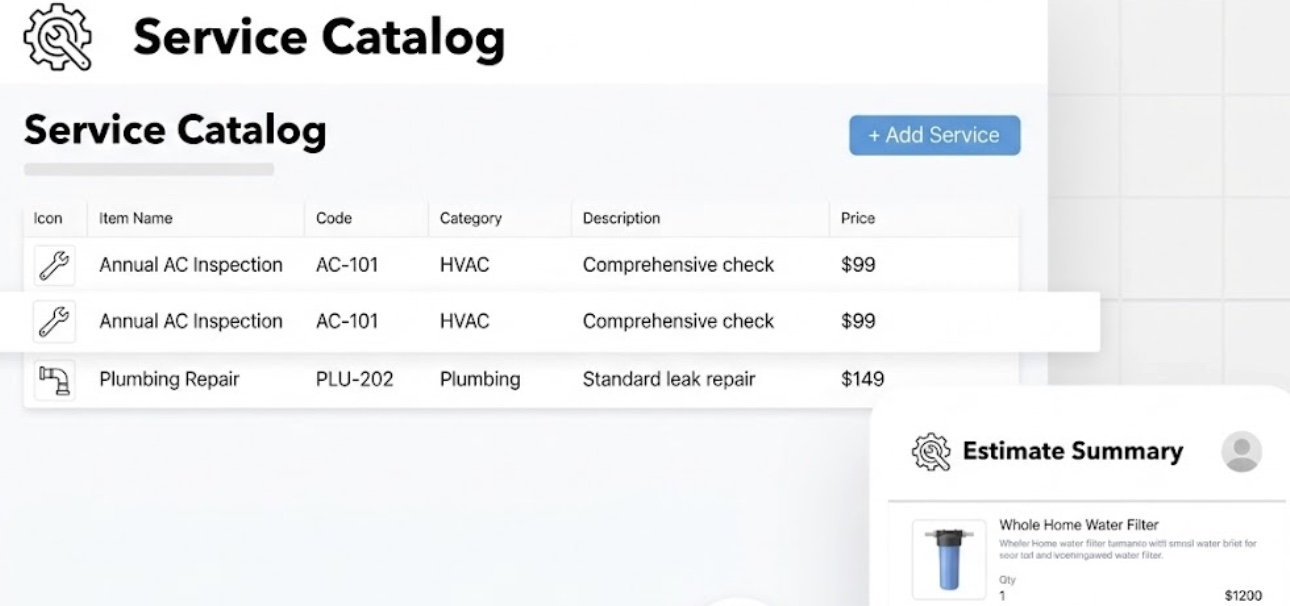
HCP’s Price Book lets you centralize all service rates, install packages, equipment markups, permit fees, labor multipliers, and discount rules in one place. You can even upload a flat-rate HVAC price book (via Profit Rhino integration) and use HCP’s visual proposal tool to present clean system replacement options on the spot.
Where This Commonly Breaks Down
In practice, many HVAC owners find that the structure behind the pricebook gradually loosens.
Supplier costs change but are not updated centrally. Installation packages evolve based on field edits rather than deliberate margin planning, and some continue to rely on spreadsheets outside the system to validate gross profit, which separates quoting from reporting.
How an Experienced HVAC Office Manager Handles It
An experienced HVAC office manager approaches the pricebook as a financial system, not just a menu of services. Instead of techs updating pricing from invoices or relying on spreadsheets to calculate GP, the office manager:
• Structures installation packages so labor, equipment, and markup are intentionally layered, not stacked randomly
• Builds flat-rate services in a way that protects margin consistency across technicians
• Separates material cost tracking from presentation pricing so GP remains accurate
• Updates supplier cost changes centrally, then tests how those changes affect proposals in the field
• Audits frequently quoted services to eliminate “field edits” that bypass the system
Maintenance Plans (Recurring Service Plans)
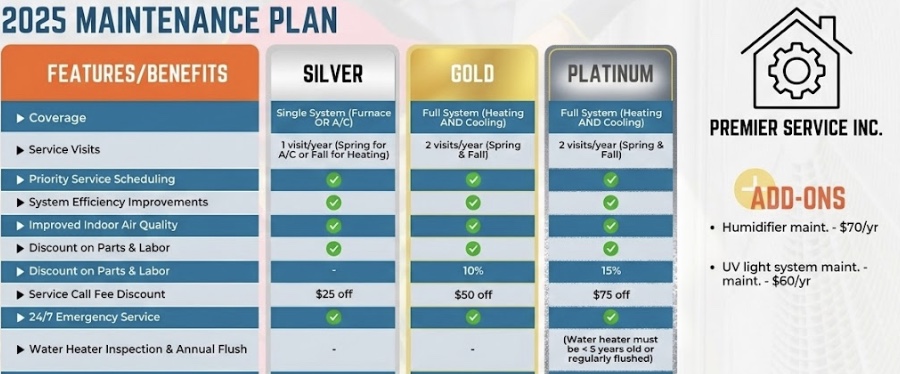
Selling service agreements is an easy way to lock in recurring revenue. Housecall Pro has a Service Plans feature (sometimes called maintenance plans) that automates recurring maintenance agreements.
With this, you can enroll customers in annual tune-up plans, care clubs, or subscription services and bill them automatically. It’s a proven way to boost average ticket size and customer loyalty.
Where This Commonly Breaks Down
Maintenance plans often appear simple at activation, but complexity increases as the number of active jobs grows.
Renewal timing may not be clearly defined, leaving uncertainty about whether agreements auto-renew or require manual confirmation.
Homes with multiple systems can create confusion if plans are structured at the household level rather than at the equipment level. Billing cadence may not align cleanly with seasonal service scheduling, which creates disconnects between payment collection and field delivery.
Discount logic can also become inconsistent in practice. Some technicians apply membership repair discounts broadly, while others hesitate because eligibility rules are unclear.
How an experienced office manager handles Maintenance Plans:
Maintenance plans require clear operational structure and ongoing oversight. Rather than relying on default settings, the framework behind the agreements is defined intentionally.
That includes clearly deciding:
• Whether renewals are automatic or approval-based
• Whether plans are attached to equipment or to the household
• How multiple systems under one roof are billed and tracked
• Exactly what the membership discount applies to and when
• How billing cadence aligns with seasonal service delivery
QuickBooks Integration
QuickBooks is included on HCP’s Essentials plan. If you haven’t connected your accounting software, you’re probably duplicating work and making mistakes.
The one-click QuickBooks integration imports invoices, payments and customer data automatically.
That means your books stay accurate without extra manual entry, and your payments flow from HCP into your accounting.
.png)
Where This Commonly Breaks Down
If income accounts were mapped loosely, invoices may start landing in categories that don’t reflect how you actually want to track revenue.
Deposit handling can also create problems. Payment processors group transactions one way, while bank feeds may display them differently, which makes reconciliation more manual than expected.
Refunds can behave differently depending on where they were issued, and even simple actions like editing a customer record in one system can create duplicates in the other.
How an experienced HVAC office manager manages the HCP <> QuickBooks integration:
The connection between HCP and QuickBooks benefits from active review rather than passive reliance on the initial configuration.
The integration needs to reflect how revenue is categorized, how payments are deposited, and how customer data is maintained.
In practice, that means:
• Verifying account mapping before daily job volume hits the system
• Testing real-world scenarios like partial payments, refunds, credits, and deposits
• Standardizing how customer records are created and edited
• Defining which platform is the source of truth for changes
• Reviewing sync logs regularly instead of waiting for month-end reconciliation
Automated Invoicing & Payment Reminders
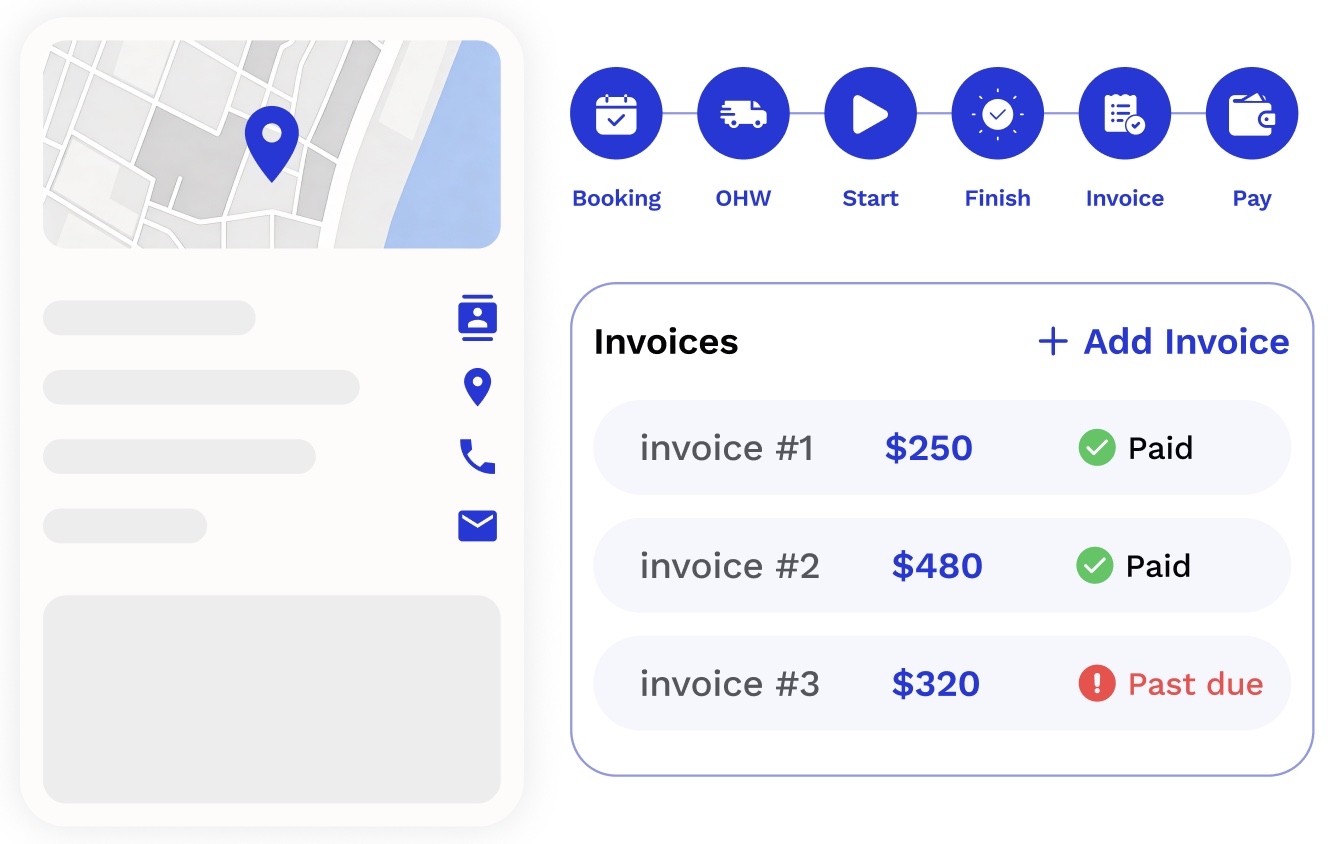
Housecall Pro allows invoices to be generated quickly, sent immediately, and followed up automatically through email and SMS reminders. Customers can pay online at any time, and payment status updates in the system without manual intervention.
When used properly, this reduces the delay between job completion and payment collection, which directly affects cash flow.
Where This Commonly Breaks Down
Automation does not remove the need for billing structure. In HVAC, jobs are often completed late in the day or across multiple visits, and invoices may be created under pressure.
Credit card processing introduces additional complexity, particularly when fees are deducted before deposits reach the bank. Without clear decisions about how those fees are handled, reporting can become inconsistent.
If credit card costs are passed through inconsistently, absorbed informally, or edited manually after an invoice is sent, revenue reporting and deposit reconciliation begin to diverge.
Deposit totals in QuickBooks may not match invoice totals in HCP. Technicians may adjust invoices after partial payments. Different payment methods may trigger different behaviors in the system.
How an experienced HVAC office manager structures invoicing and credit card fees:
Handling this properly requires thinking through the financial impact before automation is switched on, which means:
• Deciding clearly whether credit card fees are absorbed, partially offset, or passed through
• Structuring line items so fees do not distort job costing or revenue reporting
• Ensuring payment settings align with how deposits appear in accounting
• Testing how invoices behave when different payment methods are selected
• Aligning field behavior so technicians are not improvising billing logic
When invoicing and payment structure are aligned with accounting and job costing, automated billing actually improves cash flow without creating reporting confusion.
When they are not aligned, automation simply accelerates inconsistency.
Job Costing & Margin Visibility
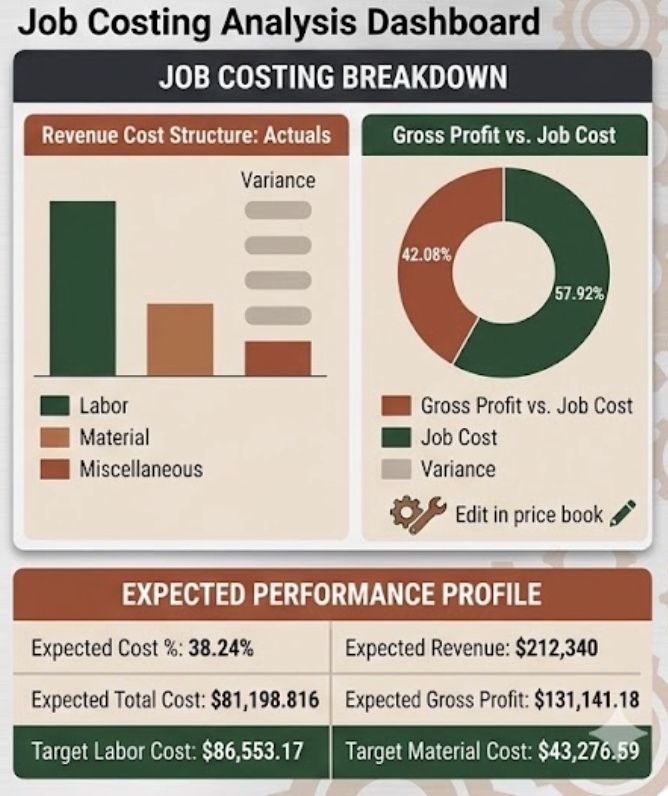
Housecall Pro includes job costing functionality that tracks labor, materials, and revenue at the job level, giving you visibility into actual gross profit instead of just total sales.
For HVAC owners, this means you can see whether system replacements, service calls, warranty work, and maintenance visits are truly profitable once real labor time and equipment costs are applied.
It also connects directly to your pricebook, showing whether your intended margins are holding up in the field or getting eroded by discounts, callbacks, or inconsistent time tracking.
Where This Commonly Breaks Down
Job costing depends on accurate inputs. If labor cost is based on a simplified hourly estimate rather than full payroll burden, reported margins may appear stronger than they are.
If supplier price changes are not reflected in the system, material cost assumptions become outdated. Discounts applied in the field may reduce revenue without clear visibility into how margin is affected.
Warranty work can blend into paid revenue if not segmented properly, and technician time tracking may not consistently match the jobs being performed.
How an experienced HVAC office manager handles job costing and margin tracking:
Job costing inside HCP only works when pricing logic, labor tracking, and accounting structure are aligned.
That means asking:
• Is labor cost tied to real payroll burden or just a flat hourly assumption?
• Are equipment costs updated when supplier pricing changes?
• Are discounts affecting revenue without adjusting margin visibility?
• Is warranty work segmented from paid revenue?
• Are technician clock-ins tied directly to the job they are performing?
Without someone owning these decisions and reviewing the data consistently, the system will still generate reports, but the numbers may feel precise without being truly reliable.
Checklists & Job Documentation
HCP offers customizable checklists on each job to ensure nothing is missed – safety steps, diagnostic checks, photos, model and serial number capture, client sign-offs, and more.
It also lets you track customer equipment so you have a running history of every HVAC unit you service.
These features drive consistency and catch details that owners often miss. If your techs sometimes forget to log equipment info, warranty details, or inspection requirements, enabling HCP checklists and equipment tracking can eliminate those oversights.
Customer Communication & Portal
Beyond invoices, HCP can keep customers in the loop automatically. You can send appointment reminders and follow-up texts from HCP, and your customers get a portal where they can view job details and pay online.
During peak summer or winter demand, communication can overwhelm your office fast. Many owners overlook the client portal.
The client portal reduces manual follow-up by allowing customers to review job details and settle balances without direct office involvement.
Lead & Sales Management (Pipeline, CSR AI, HCP Assist)
HCP offers a simple CRM called Pipeline for lead tracking, plus AI and voice services to capture leads 24/7.
The CSR AI and HCP Assist add-ons provide round-the-clock answering and appointment booking, so if leads go to voicemail at night or your front desk juggles these tasks poorly, activating these tools can snag more jobs
Other Add-ons (Websites, Payroll, Profit Rhino, etc.)
HCP has many optional extras: a website with online booking, integrated payroll, phone management, vehicle tracking, and flat-rate pricing tools like Profit Rhino.
Not every small shop needs every add-on – but at least be aware of them!
WorkHero Runs Your HVAC Back Office
Implementing all of these features and keeping them running properly isn’t complicated in theory.
The challenge is that someone has to own it. Someone has to build the pricebook correctly, keep it updated as equipment costs change, make sure maintenance plans don’t lapse, confirm invoices go out the same day jobs close, and follow up when they don’t get paid.
For most small HVAC owners, that “someone” ends up being you. And that’s the problem.
WorkHero is built around a simple idea: your back office should run like a larger company’s, without you having to build one from scratch.
We don’t jump in occasionally to fix things. Our office managers specialize in HVAC operations and take full ownership of your back office and your HCP setup.
That includes:
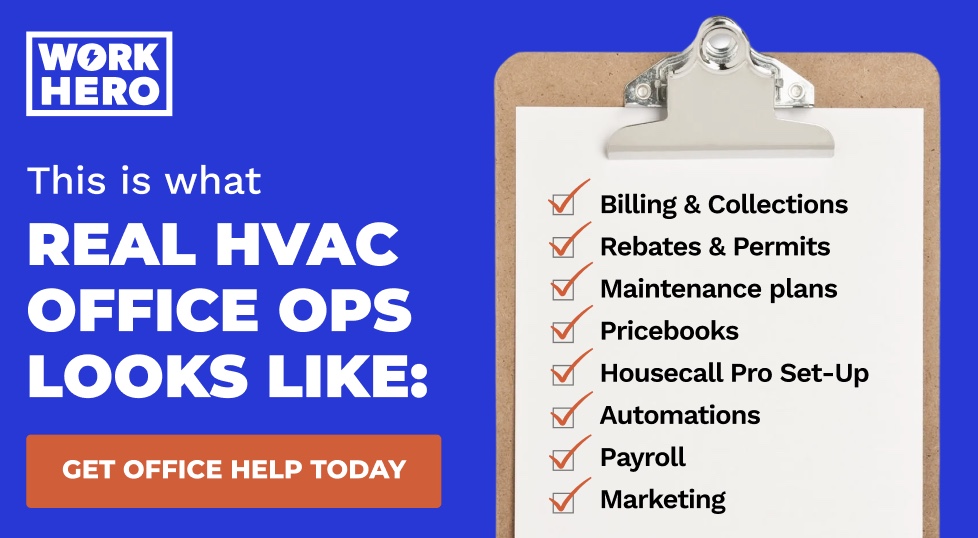
- Optimized Pricebooks. We build your pricebook properly from the ground up and keep it aligned with how your business actually runs, including correct markups, bundled services, and HVAC-specific pricing logic. Instead of technicians quoting inconsistently or calling you for pricing decisions, the system becomes structured, usable, and reliable in the field.
- Service Plans & Rebates. We set up your maintenance agreements and proactively manage them. We also handle rebate submissions, tracking, and follow-ups so money doesn’t get left behind because the paperwork felt overwhelming.
- Seamless Accounting Integration. We connect and maintain your QuickBooks sync so invoices and payments flow cleanly. No duplicate entry. No messy reconciliations.
- End-to-End Billing & AR. We take ownership of invoicing and collections, clean up backlogs, track A/R consistently, and follow up when payments stall.
- Housecall Pro Setup & Optimization. If your Housecall Pro account is half-built or messy, we fix it. We organize job tags, workflows, checklists, and reporting so the system actually supports the way you operate.
- Weekly Visibility. You receive clear updates on what’s happening across billing, rebates, permits, and open jobs. We proactively review your systems daily to identify work that needs attention rather than waiting for you to assign it.
And you don’t have to hire, train, or manage anyone. No onboarding headaches. No turnover risk. No patchwork spouse-plus-VA setup that breaks as soon as you grow.
If you’re ready to run your HVAC business instead of managing admin chaos, it’s time to put WorkHero in charge of your back office.
